
EPISODE 3 · FRIDAY 23 OCTOBER 2026
1. The question
Which numbers on a memory kit help me choose the right upgrade?
2. The Sketch
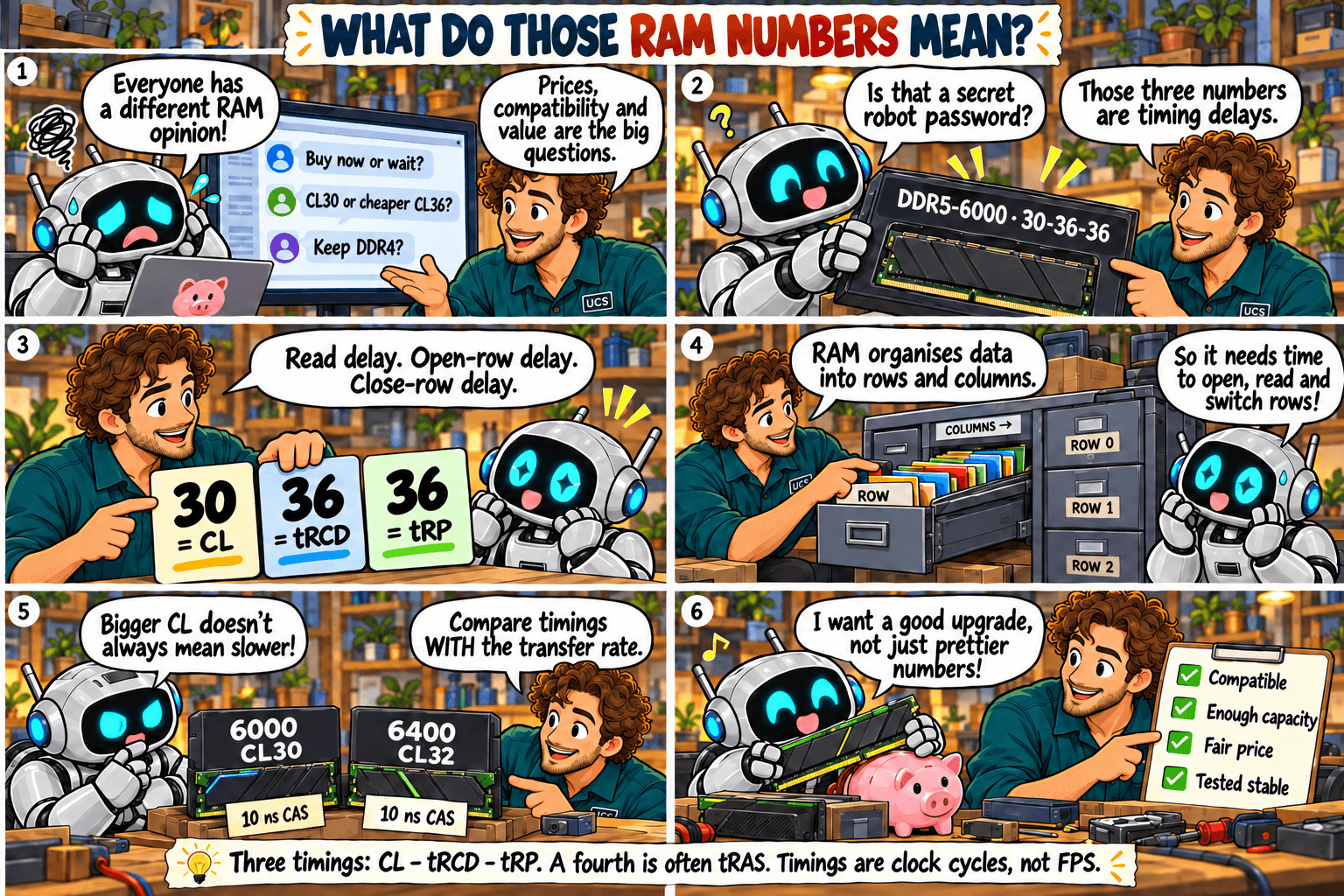
3. What it means
Quick rule: check capacity and compatibility first. Then compare MT/s and timings together.
A label such as 32 GB (2 × 16 GB), DDR4-3200, CL16-18-18 describes several different things:
Many kits list a fourth timing, tRAS, the minimum time a row remains active. Timing numbers count clock cycles, not nanoseconds. A lower CL does not automatically mean a shorter wait when the transfer rates differ.
For example, DDR4-3200 CL16 and DDR5-6000 CL30 both have a calculated 10 ns CAS delay. They still differ in bandwidth, architecture and other timings. The later episodes explain the calculation; CAS is only one part of total access latency.
4. What to check
- Confirm the total capacity and kit layout, such as 2 × 16 GB.
- Check the generation and exact kit against your platform documentation.
- Compare MT/s and CL together, plus voltage and profile requirements.
- Use the motherboard manual for slot placement; more sticks do not automatically mean more memory channels.
- Distinguish the advertised XMP or EXPO profile from the settings the system actually runs.
5. Common mistake
Choosing the lowest CL alone, or assuming the speed printed on the box is automatically active after installation.
6. Practical recommendation
Choose a compatible kit with enough capacity, then use comparable application tests and price to assess faster options. Install it in the recommended slots, verify active settings and test stability. Pay for a speed premium only when it brings a useful benefit to your workload.
7. Sources and disclaimer
Technical review: 5 October 2026. Sketches simplify the concepts. Compatibility and results depend on the exact hardware and settings; check manufacturer documentation before purchase. Calculated timing is not a prediction of application performance.