
The question: is a higher MT/s or a lower CL the better buy?
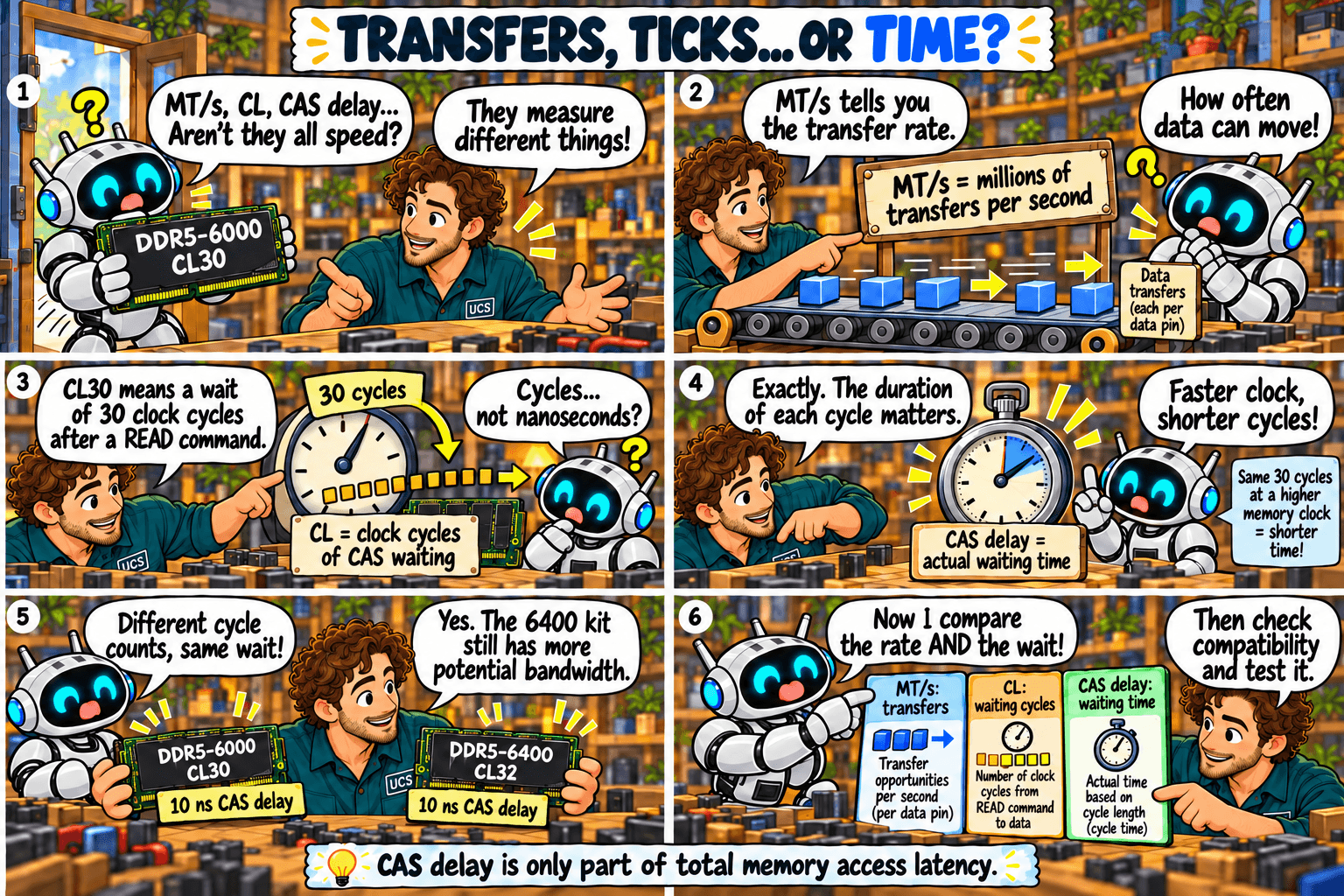
Quick rule: compare MT/s and CL together. Convert CL to nanoseconds before comparing kits of different speeds.
Common mistake: assuming CL32 must be slower than CL30.
What it means
The three terms measure different things:
- MT/s: millions of transfers per second. It is how often data can move. Higher is faster.
- CL: CAS latency. CAS is “column address strobe”, the signal that tells the memory which column of data to read. CL is the number of clock cycles the memory waits between a read command and the first data.
- CAS delay: the same wait measured in nanoseconds (ns). It is not a second, separate delay.
Faster memory has shorter cycles, so a higher CL on a faster kit can be the same wait.
| Kit | Cycle time | CAS delay |
|---|---|---|
| DDR4-3200 CL16 | 0.625 ns | 10 ns |
| DDR5-6000 CL30 | 0.333 ns | 10 ns |
| DDR5-6000 CL36 | 0.333 ns | 12 ns |
| DDR5-6400 CL32 | 0.3125 ns | 10 ns |
- Same wait, more data. DDR5-6400 CL32 and DDR5-6000 CL30 both wait 10 ns, and the 6400 kit can move more data per second.
- At the same MT/s, lower CL is faster. DDR5-6000 CL30 beats DDR5-6000 CL36 by 2 ns.
- CAS delay is one part of total access time. Use it to compare kits, not to predict application speed.
Episode 5 shows the calculation.
What to check
- Both MT/s and CL, never one alone.
- The CAS delay in nanoseconds.
- Benchmarks of your applications on a comparable CPU.
Not sure what fits? Send us your computer model and what you use it for. We check compatibility before you buy.
Ask us to checkSources
General guidance. Check the documentation for your exact hardware before you buy. Full notice.