
The question: which numbers on a memory kit help me choose the right upgrade?
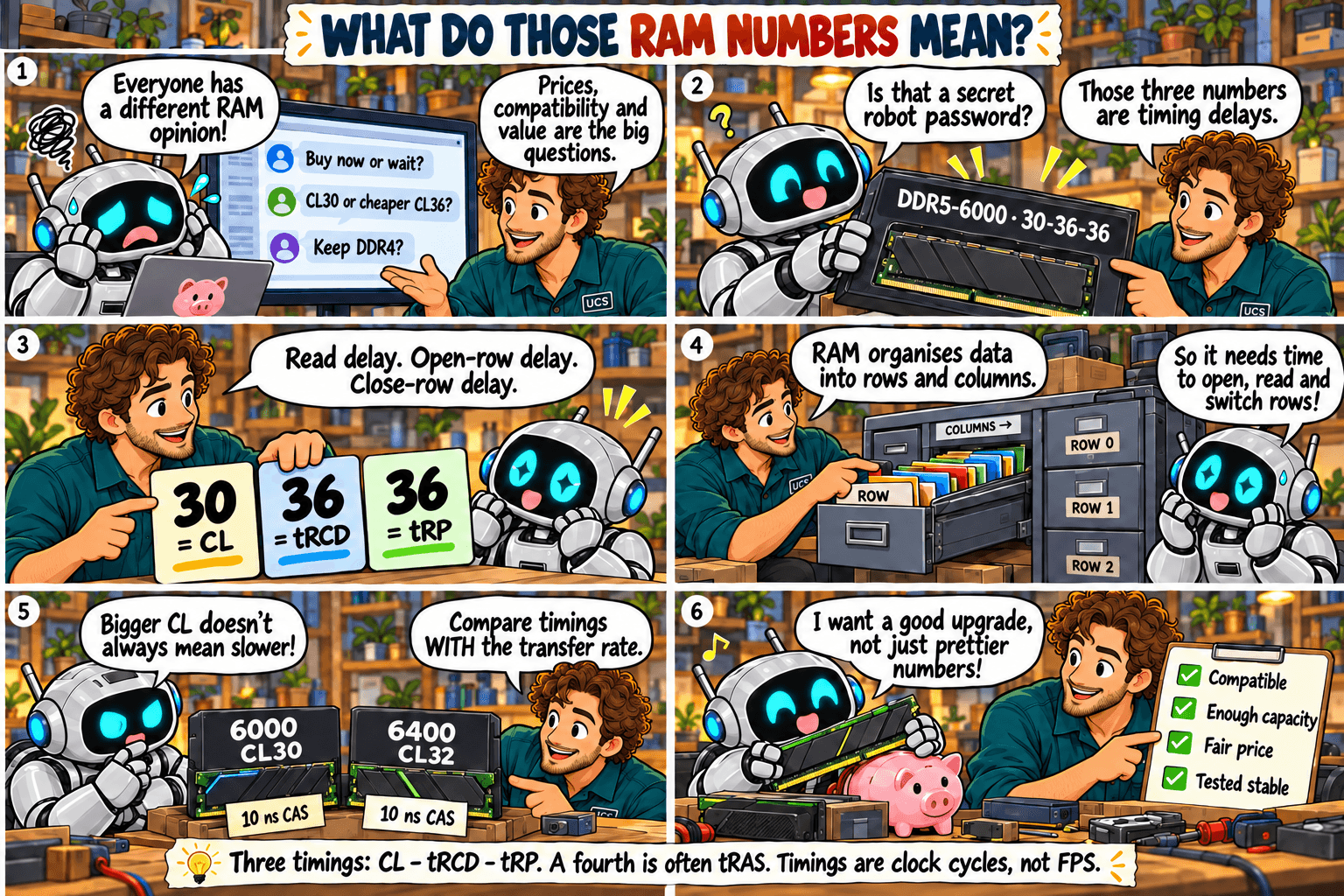
Quick rule: check capacity and compatibility first. Then compare MT/s and timings together, never one alone.
Common mistake: choosing the lowest CL alone, or assuming the speed on the box is active after installation.
What it means
Take the label 32 GB (2 × 16 GB), DDR4-3200, CL16-18-18:
- 32 GB: total capacity of the kit.
- 2 × 16 GB: two modules of 16 GB each.
- DDR4: the memory generation. It must match your motherboard.
- 3200: the transfer rate in MT/s (megatransfers per second). Higher is faster.
- CL16: CAS latency, the wait before data is returned, counted in clock cycles.
- 18-18: two further timings (tRCD and tRP), also in clock cycles. Some kits list a fourth, tRAS.
Timings count clock cycles, not time: DDR4-3200 CL16 and DDR5-6000 CL30 both wait 10 nanoseconds. Episodes 4 and 5 explain why.
What to check
- Total capacity and kit layout, such as 2 × 16 GB.
- The generation and exact kit against your motherboard’s documentation.
- MT/s and CL together, plus the voltage and profile the kit needs.
- Slot placement in the motherboard manual. More sticks do not mean more memory channels.
- The speed your system is running at. The advertised XMP or EXPO speed is off until you enable it in the BIOS. Run a memory test afterwards.
Not sure what fits? Send us your computer model and what you use it for. We check compatibility before you buy.
Ask us to checkSources
- Kingston: CAS latency and RAM timings
- Kingston: memory population rules
- Your motherboard manual, for slot placement and supported speeds
Technical review: 5 October 2026. General guidance. Check the documentation for your exact hardware before you buy. Full notice.