
Robot’s RAM Upgrade: Memory Buying Basics Introduction

Robot’s RAM Upgrade is a ten-part sketch guide to buying computer memory. Robot wants 256 GB of RAM. His piggy bank wants answers.

Our buying rule: choose enough capacity, confirm compatibility, compare transfer rate and latency, then test the result.
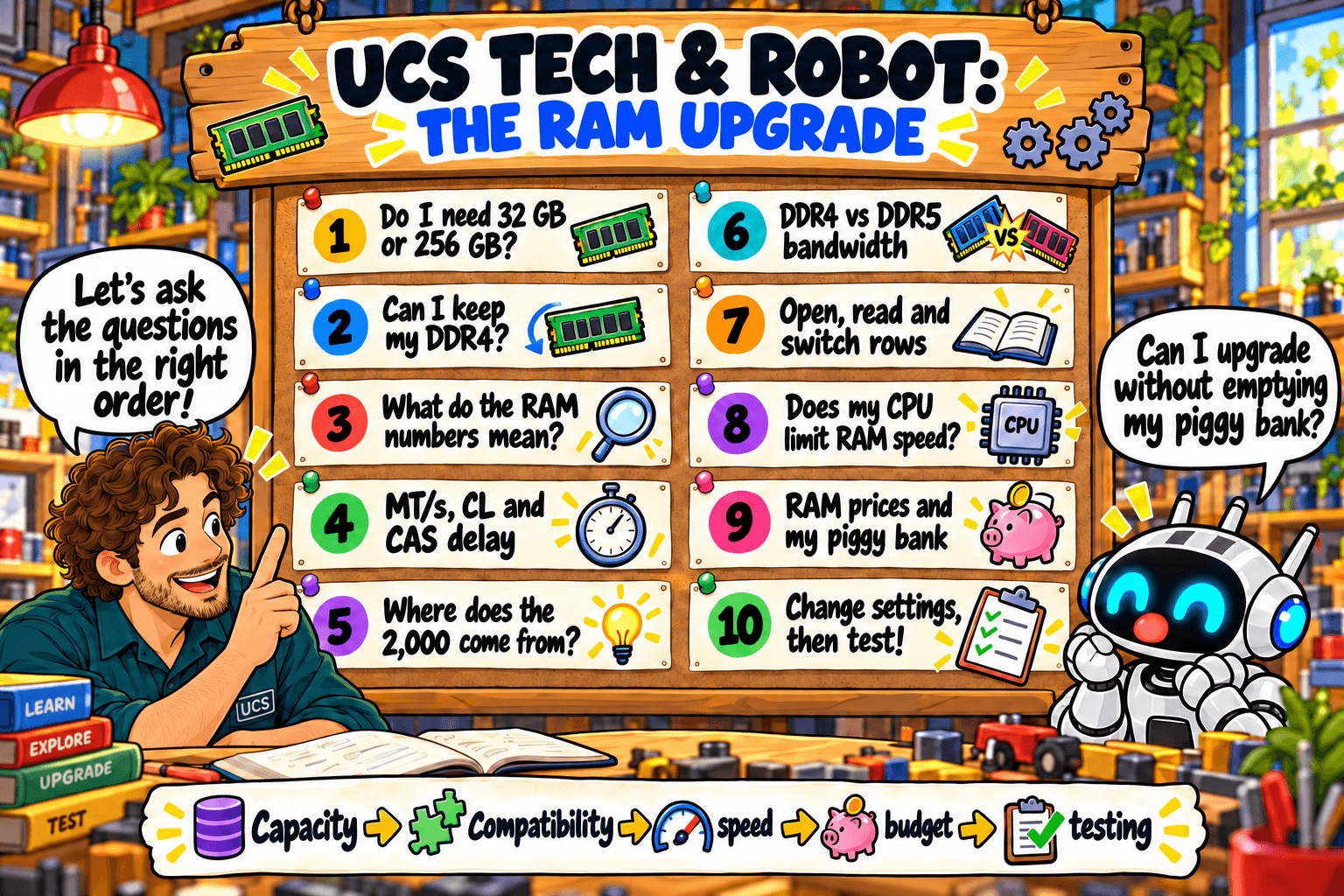
UCS Tech and Robot present the ten-part RAM learning journey
Select the sketch to open it full size.

A new episode is published each Wednesday.

  1. 32 GB or 256 GB: How much RAM do you actually need?
  2. Can you keep your DDR4 when upgrading your PC?
  3. RAM labels explained: capacity, MT/s and timings
  4. MT/s, CL and CAS delay: transfers, ticks or time? (28 October)
  5. Where does the 2,000 come from? One RAM calculation explained (4 November)
  6. DDR4 versus DDR5: how much data can my RAM move? (11 November)
  7. Open, read, switch: what happens inside RAM? (18 November)
  8. Does my CPU limit RAM speed? (25 November)
  9. RAM prices versus my piggy bank: buy now or wait? (2 December)
  10. Change settings, then test (9 December)

Start with Episode 1

All episodes

How this blog helps you buy better hardware

Buying IT hardware should not require a computer engineering degree. Each guide here turns a specification or a marketing claim into a question you can answer before you spend money.

  • What the specification means in everyday use.
  • Whether the part is compatible with your computer.
  • How much performance you need.
  • Which features are worth paying for.
  • How to test an upgrade after installing it.

Every guide has the same parts: the question, the sketch, a quick rule, what it means, what to check and sources.

Start with Memory Buying Basics

Buying for a business or organisation? Send us your hardware schedule or specification. We return pricing, availability and lead time.

Ask us